6. Learn by examining existing designs!
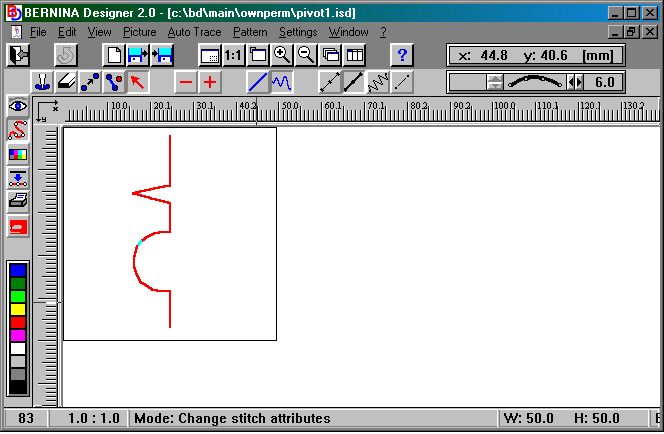
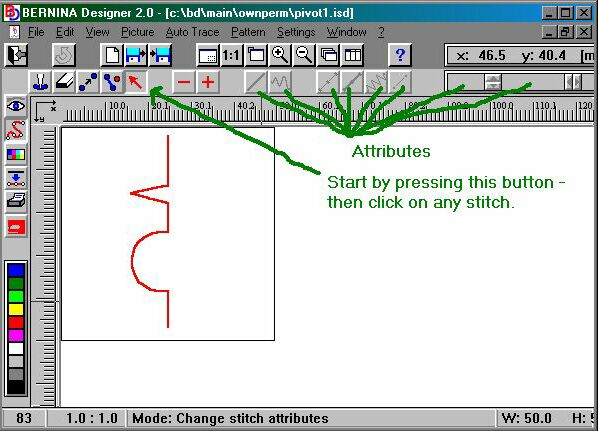
Another approach to the design software is to find an existing design that you both like and stitches out well. Call this design up (open it) in the Designer software and have a real good look at how it was done. Pay carefull attention to stitch attributes (enlarge the design so that you can actually SEE the individual stitches. Hit the icon with the red arrow on (attributes) and watch how the various attributes changes from stitch to stitch (stitch length, width, single/triple stitch, straight or smoothed curve). I found that this approach taught me the quickest way of getting that extra wroooommm outta the software..
Copyright © 2000 by Bernina of America, Inc.
Copyright © 2000 by Bernina of America, Inc.
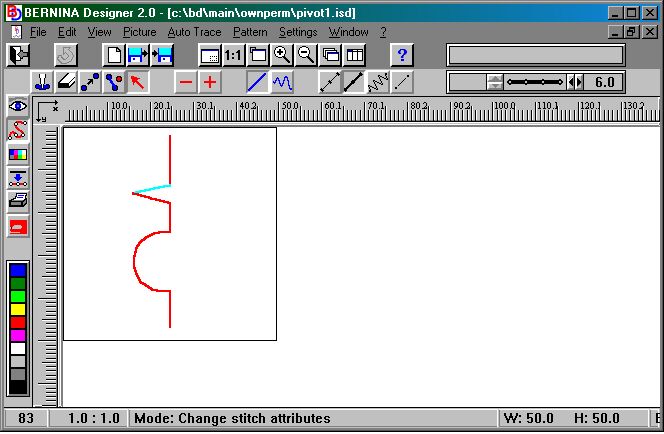
Now compare it with the screenshot below - the part of the design that is highlighted (in blue) has the following attributes: Smooth, triple stitch, stitch lenght 6mm
Copyright © 2000 by Bernina of America, Inc.